
Get Computer Name from Windows Computer
There are a few options to get your computer name from a Windows computer.
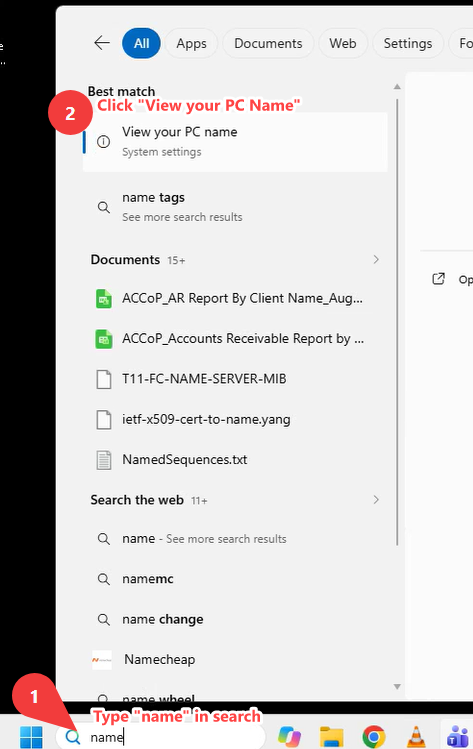
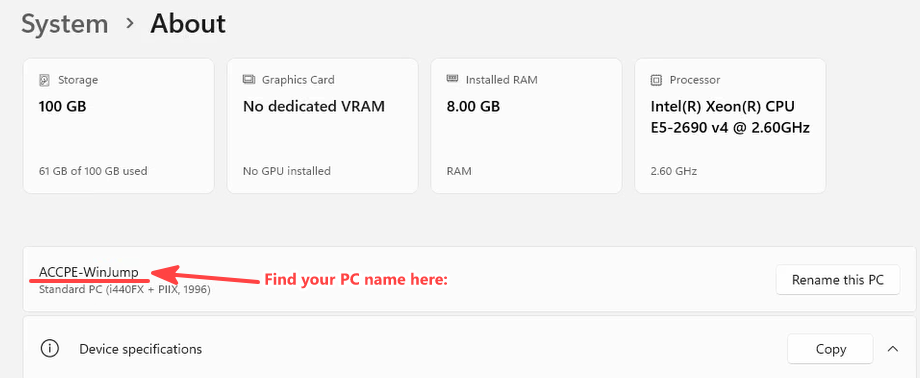
- Usually the easiest is to type "name" in the Windows search box to the right of the Start menu
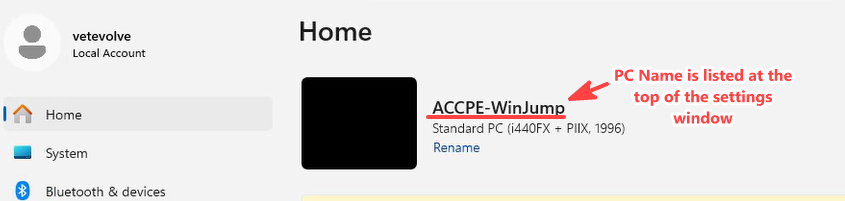
2. Alternatively, you can press Windows+I to open system settings.
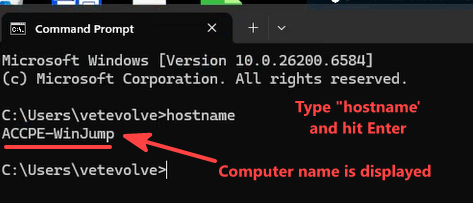
3. And for completeness, you can use the command prompt.
- Press Windows+R, type cmd and press Enter
- Type hostname and press Enter
- Your computer name will be displayed instantly.
No Comments